I can't 3D model, so I sketched a console and an AI agent made it printable
The Buzz Party Box is a 3D-printable case that turns a pile of old PC parts into a small console for the TV. It runs the PS2 Buzz! quiz games in an emulator, and everyone plays with their phone as the buzzer. It's a Christmas present for family. The design is at v7, and nothing has been printed yet.
We love the Buzz! games, but I hate the Buzz! controllers. You can't buy them new anymore, only used, so you can't tell how good they are or when they'll break. Our last set broke, and for a long time some of the games barely registered the big buzzer, especially when you had to press fast. That's why I built Buzz Party, which turns phones into buzzers. This box is where it's going to live.
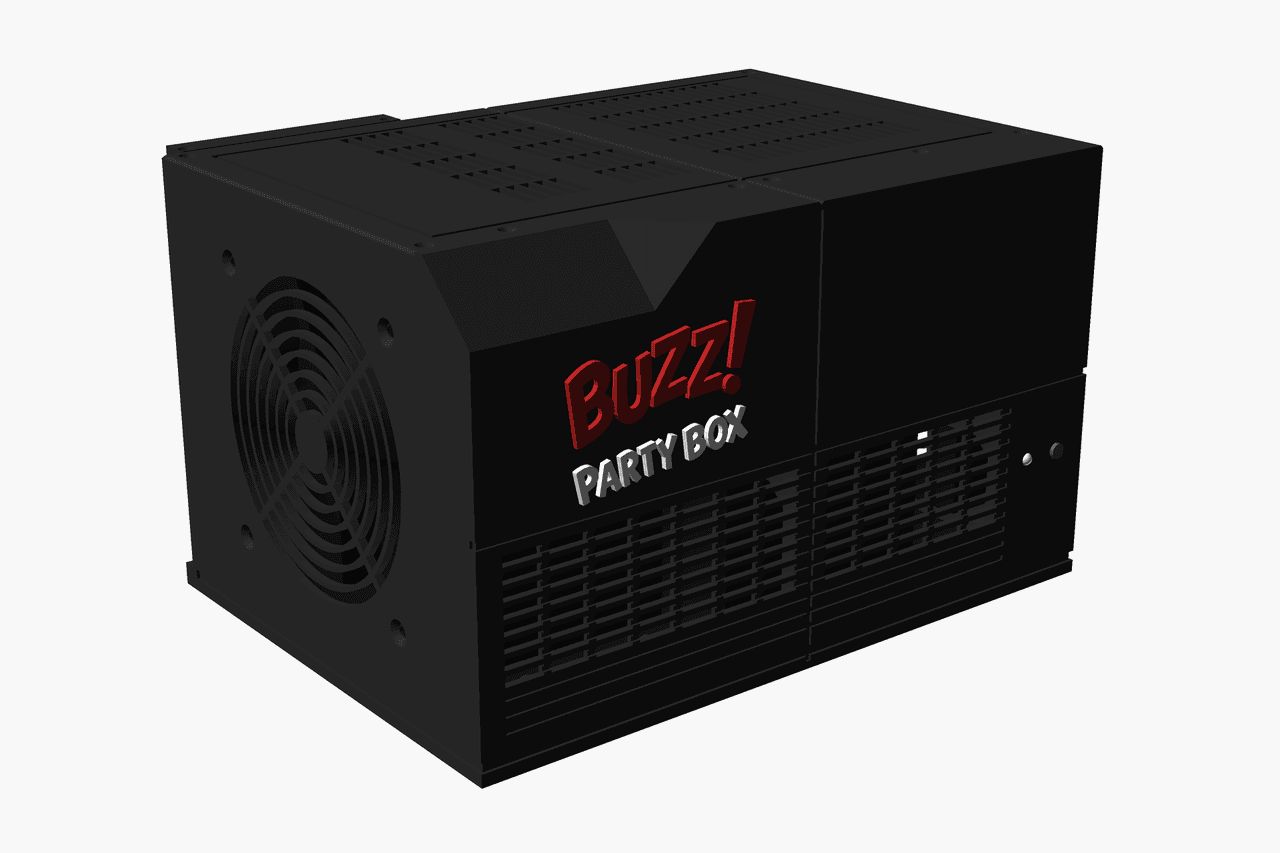
A mid tower is too much next to the TV
The parts were lying around: an i5-4460, a GTX 960 Mini and an ASUS PCE-AC68 Wi-Fi card. It runs Arch Linux, for minimal bloat and set up exactly as I want it. But an old PC mid tower is simply just too much to have next to the TV. I wanted a console.
I know pretty much nothing about 3D design. What I did have was the layout. I had all the parts in front of me, and I could see the PSU going above the board so the least amount of space goes to waste. And for the console look it had to be longer than it is tall. So I drew it.
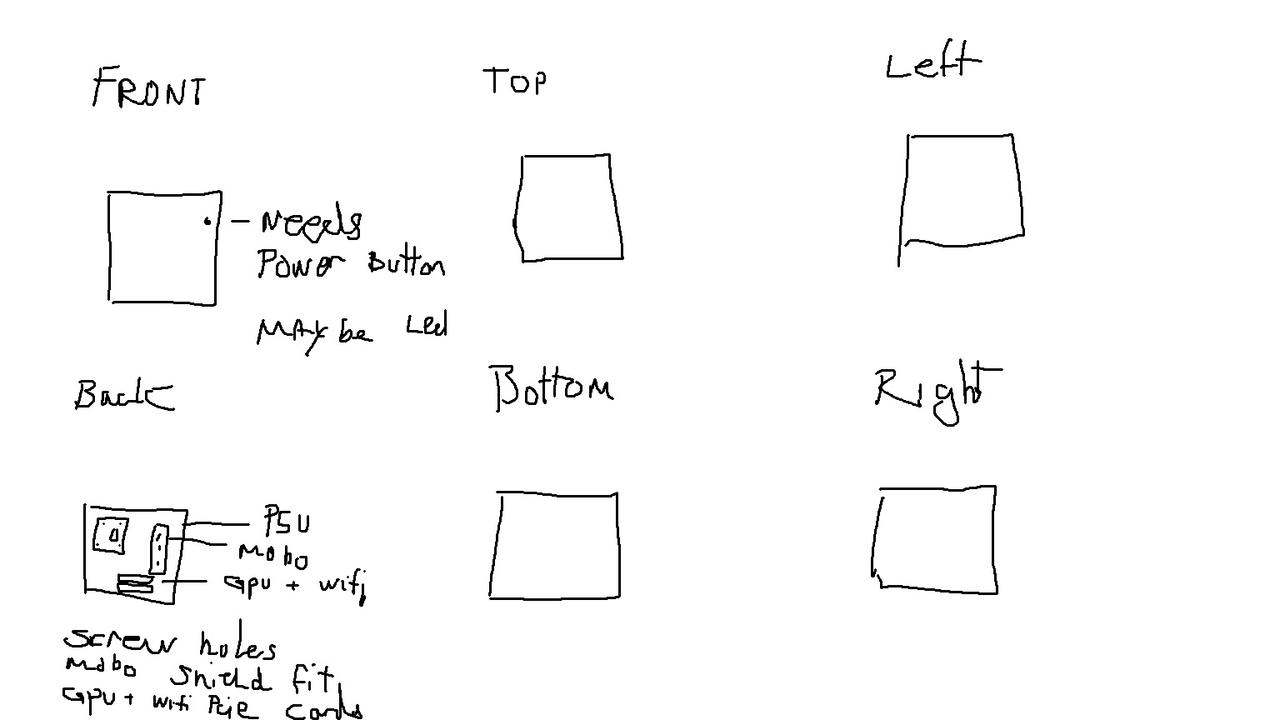
From six boxes to v7
Mostly I wanted to see how good an AI agent is at 3D design, since I'd heard good things but hadn't tried it myself. I gave it the sketch, the parts and the layout.
The model is one OpenSCAD file. OpenSCAD is a 3D modeller where you write the shape as code instead of dragging it with a mouse, so every measurement is a parameter at the top of the file. The case comes out at 284 x 207 x 173 mm, split into parts that each fit a printer bed.
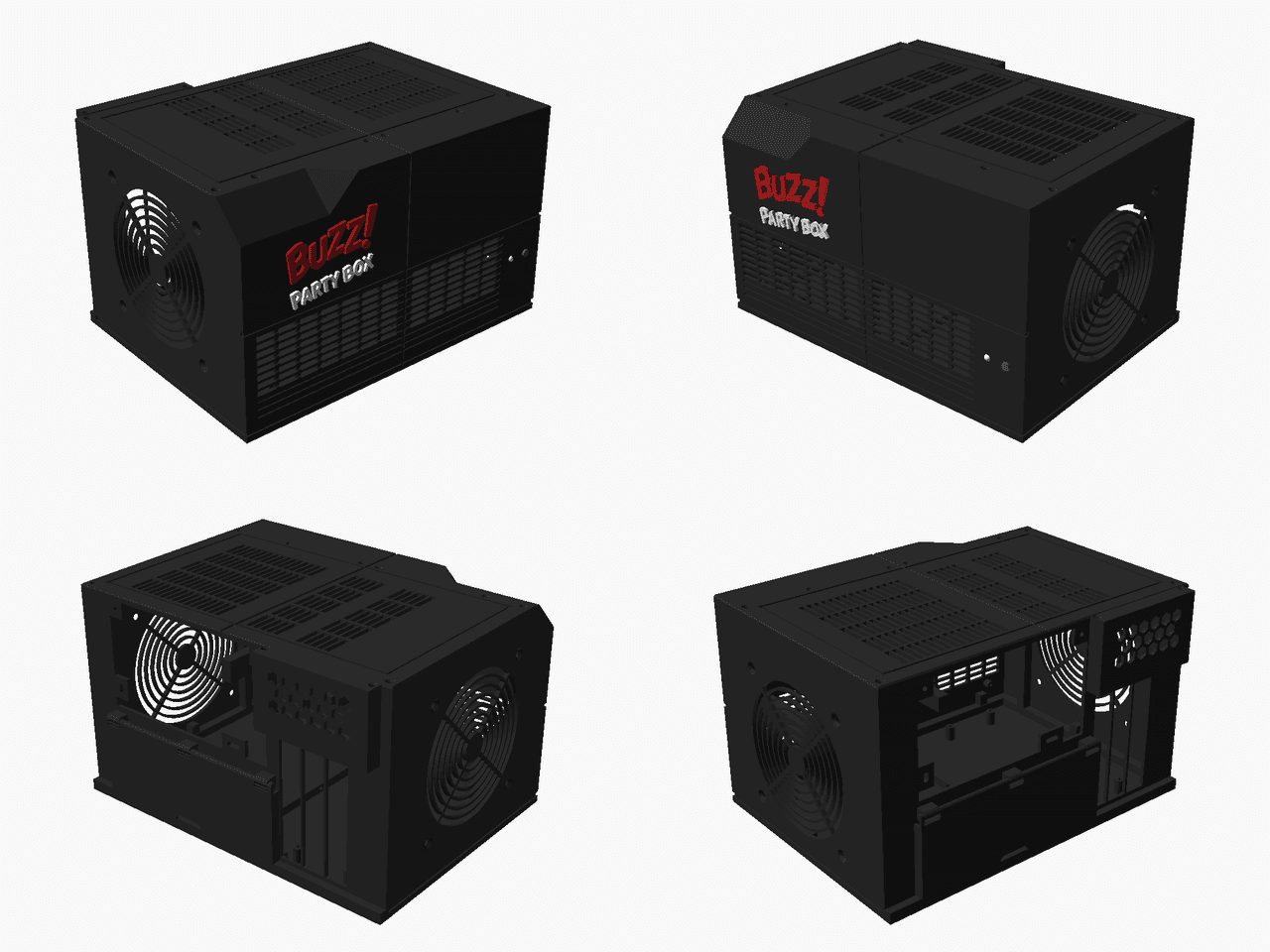
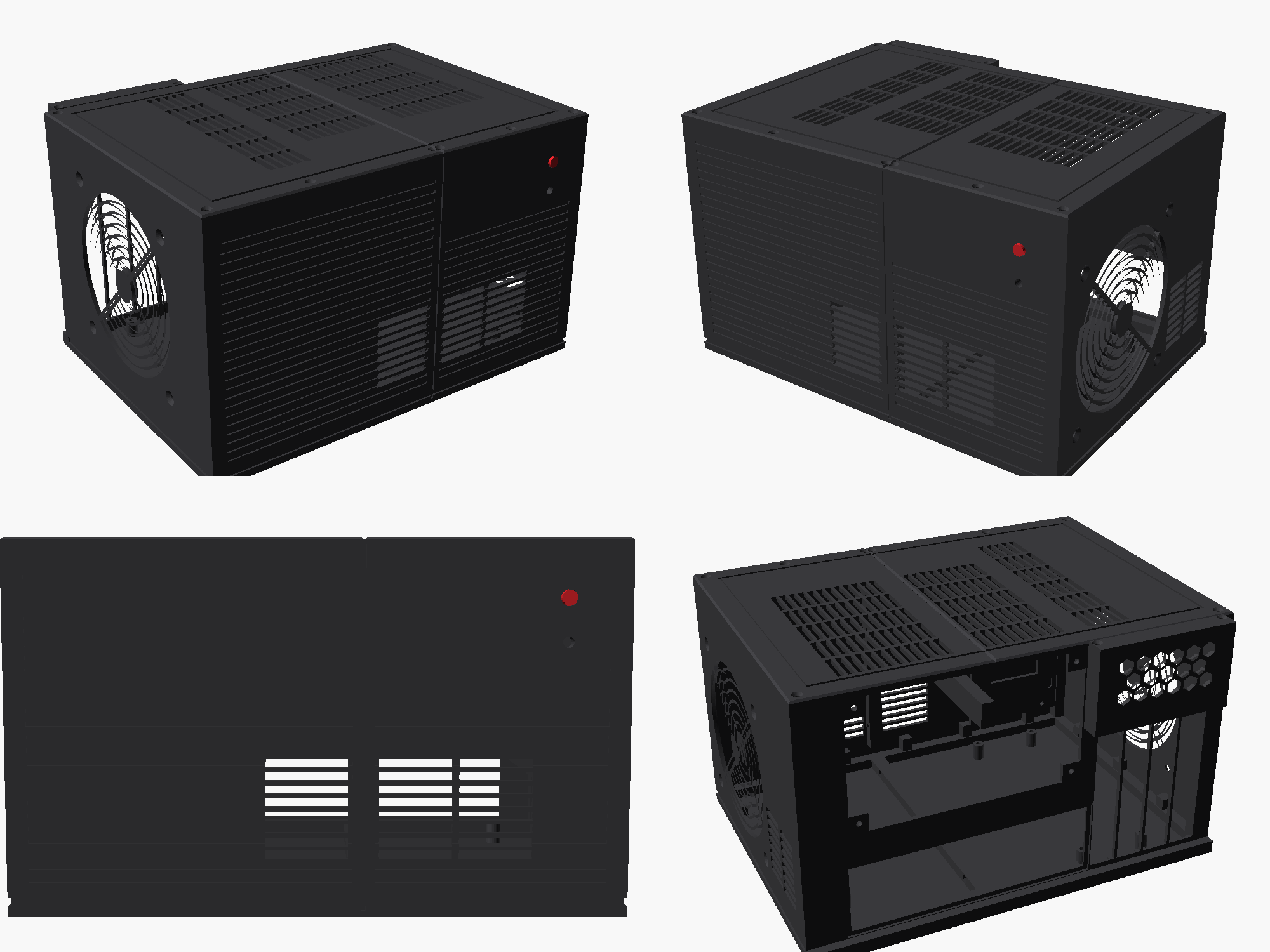
It's at v7 now. Each version was pretty much just an improvement on the last one. v1 had ribs and slot vents. Later ones got a slice on the top-front edge, an even front grille, a real tactile switch for the power button, and screw holes tapped straight into the plastic.
Ask for a door, get a hinge
What surprised me was how fast it went from sketch to a real case, and how easy it is to ask for a change. I say what I want, and it comes up with it.
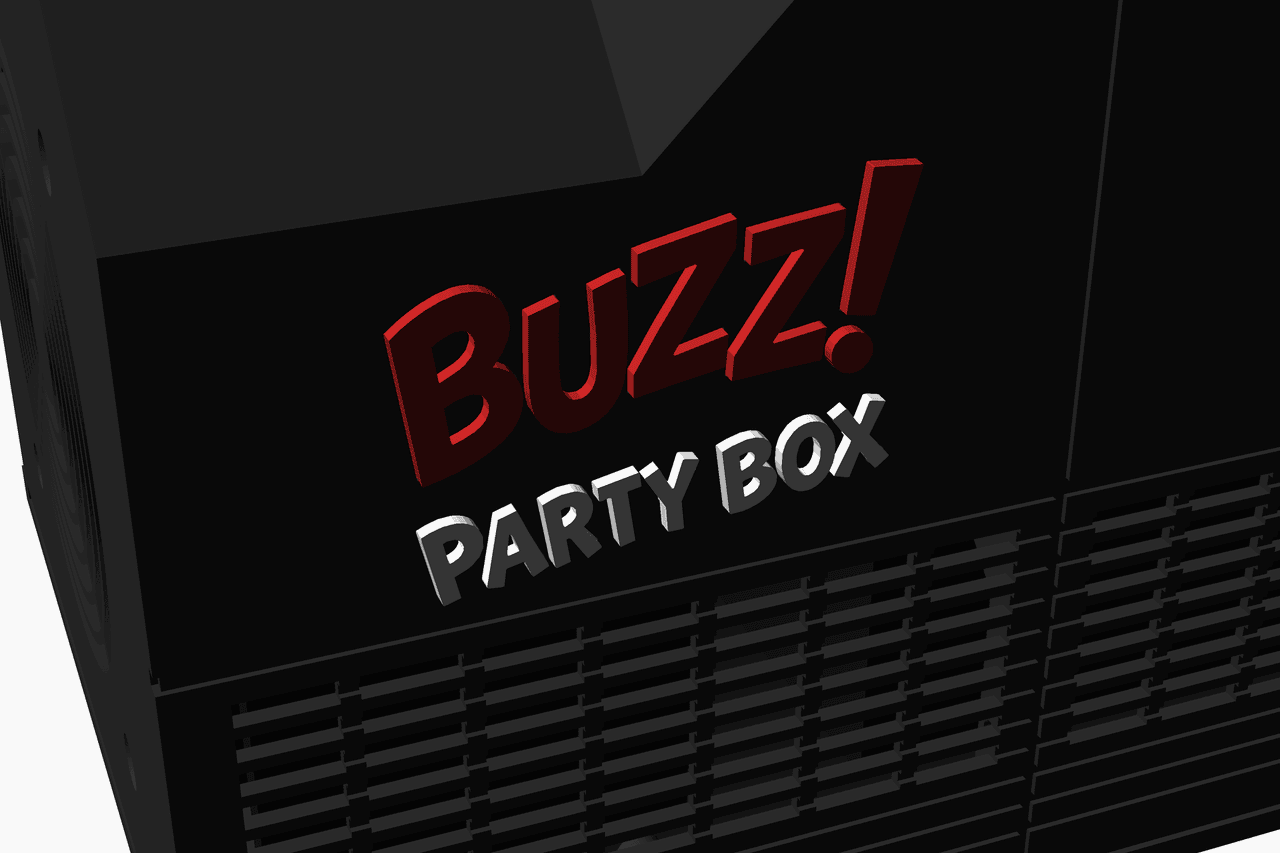
The logo was one. I gave it the Buzz! Party Box logo as a PNG, and it traced it into raised letters: a red BUZZ! and a white PARTY BOX that get printed separately and glued into 1 mm pockets in the front.
The other was a door over the motherboard's I/O. The board has its own HDMI port right next to the GPU's, and I didn't want anyone plugging the TV into the wrong one. The USB ports and everything else back there are only for me, when I need to do updates. So now a door covers them. It snaps onto three clips, clicks shut, and stays open at any angle.
It wrote its own tests for a box
The last surprise: the agent set up test scripts by itself to make sure the case is okay. Before every commit it exports every part and checks it against stand-ins for the real hardware, so nothing it adds can cut into the board or the PSU.
1# Verifies case.scad: exports every part, then checks2# - no OpenSCAD errors/warnings3# - every part fits a 210 x 210 mm bed and is one connected piece4# - no case part intersects a hardware placeholder5# - case parts only touch each other (overlap volume <= 30 mm3)6# - every "CHECK <name> <value>" echo >= its minimum in tools/thresholds.txt
v7 exists only on screen. Some things can't be checked until there's plastic: the PSU screw holes are measured from a photo (the two I'm unsure of are slots, so they have some give), and the motherboard standoffs get tested on a printed template before anything else.
Check twice, print once
Next it gets printed. Before that I want to double-check that everything is as it should be, so maybe I'm lucky and only have to print once. Where it gets printed is still open. I've got something in the works and I'm waiting to hear back.
The next post on this one should have real photos, and a list of what didn't fit.